Kroese
Proxmox


Proxmox inside a Docker container.
Features ✨
- Fast virtual machines
- Isolated LXC containers
- Web-based management interface
Usage 🐳
Via Docker Compose:
services:
  proxmox:
    hostname: pve
    image: dockurr/proxmox
    container_name: proxmox
    environment:
      PASSWORD: "root"
    ports:
      - 8006:8006
    volumes:
      - ./config:/etc/pve
      - ./local:/var/lib/vz
      - /var/run/docker.sock:/var/run/docker.sock
    restart: always
    privileged: true
    stop_grace_period: 1m
Via Docker CLI:
docker run -it --rm --name proxmox --hostname pve --privileged -e "PASSWORD=root" -p 8006:8006 -v "/var/run/docker.sock:/var/run/docker.sock" --stop-timeout 60 docker.io/dockurr/proxmox
Via Github Codespaces:

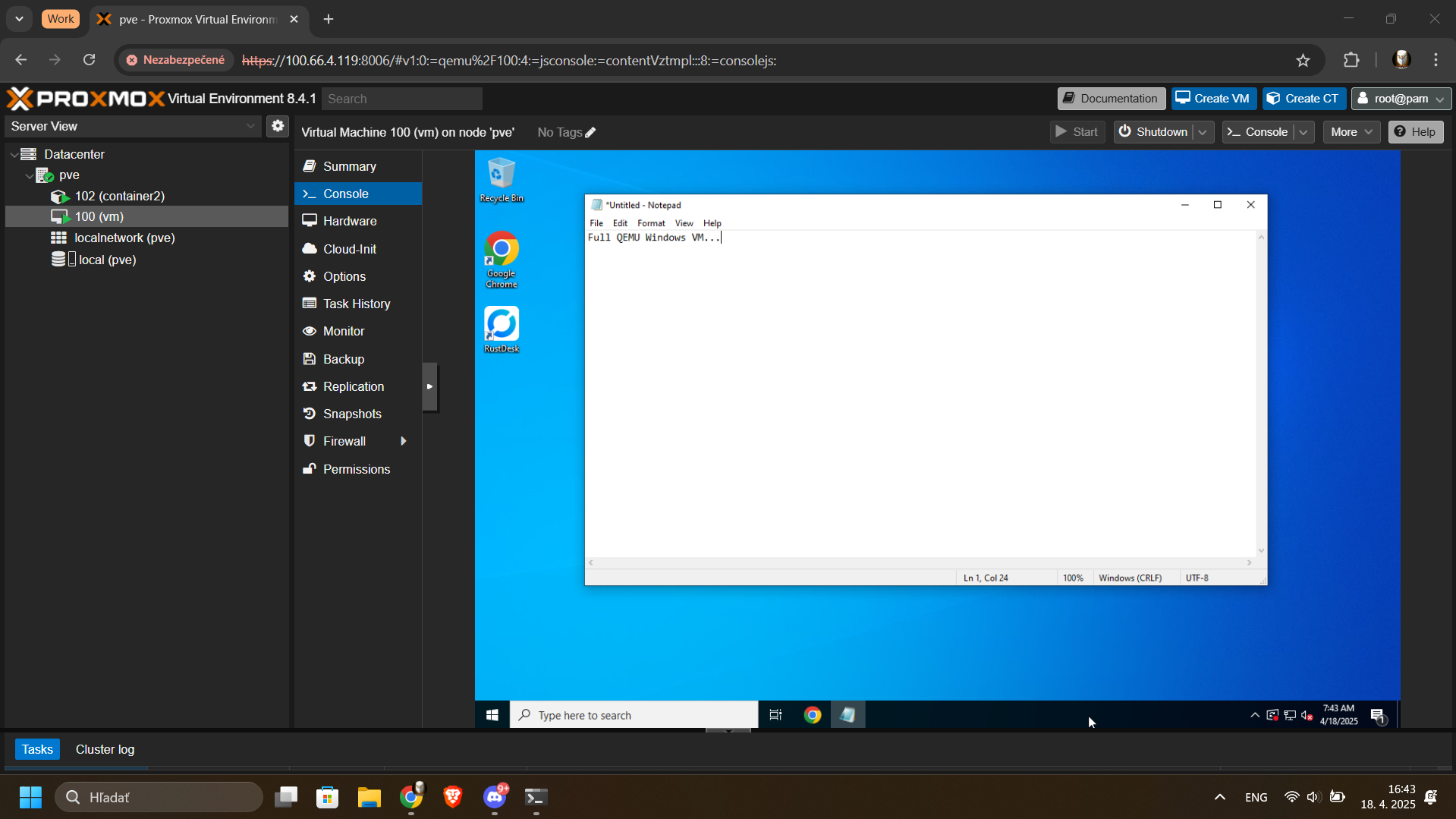
Screenshots 📸

FAQ 💬
How do I use it?
Very simple! These are the steps:
-
Start the container and connect to port 8006 using your web browser.
-
Login using the username
rootand the password you specified in thePASSWORDenvironment variable.
Enjoy your time with your brand new Proxmox installation, and don't forget to star this repo!
How can I setup networking for the virtual machines?
-
In the Proxmox web-interface, go to
Datacenter->pve-->System->Network. -
There is a
Linux Bridgecalleddocker0, look at theIPv4/CIDRcolumn and remember its subnet, for example172.20.0.0/16 -
Attach the
docker0bridge network to your virtual machine, start that machine and view its screen. -
Configure the OS for a static IP instead of DHCP, and pick a fixed address inside the subnet of the
docker0bridge.Always start from a value of
.100, so for example pick172.0.20.100for the first machine if the subnet was172.20.0.0/16. -
The virtual machine should now be connected to the internet!
How do I verify if my system supports the KVM virtualization used by Proxmox?
First check if your software is compatible using this chart:
| Product | Linux | Win11 | Win10 | macOS |
|---|---|---|---|---|
| Docker CLI | ✅ | ✅ | ❌ | ❌ |
| Docker Desktop | ❌ | ✅ | ❌ | ❌ |
| Podman CLI | ✅ | ✅ | ❌ | ❌ |
| Podman Desktop | ✅ | ✅ | ❌ | ❌ |
After that you can run the following commands in Linux to check your system:
sudo apt install cpu-checker
sudo kvm-ok
If you receive an error from kvm-ok indicating that KVM cannot be used, please check whether:
-
the virtualization extensions (
Intel VT-xorAMD SVM) are enabled in your BIOS. -
you enabled "nested virtualization" if you are running the container inside a virtual machine.
-
you are not using a cloud provider, as most of them do not allow nested virtualization for their VPS's.
Acknowledgements 🙏
Special thanks to rtedpro-cpu, this project would not exist without his invaluable work.
Stars 🌟