Proxmox
[![Build]][build_url]
[![Version]][tag_url]
[![Size]][tag_url]
[![Package]][pkg_url]
[![Pulls]][hub_url]
Proxmox VE inside a Docker container.
## Features ✨
- Runs a full Proxmox VE node inside Docker
- Provides the familiar Proxmox web interface
- Supports fast KVM-accelerated virtual machines
- Supports LXC containers out of the box
- Includes a pre-configured NAT bridge with DHCP
- Supports ARM64 systems through PXVIRT
## Usage 🐳
##### Docker Compose:
```yaml
services:
proxmox:
hostname: pve
image: dockurr/proxmox
container_name: proxmox
environment:
PASSWORD: "root"
ports:
- 8006:8006
volumes:
- ./data:/var/lib/vz
- ./config:/var/lib/pve-cluster
restart: always
privileged: true
stop_grace_period: 2m
```
##### Docker CLI:
```bash
docker run -it --rm --name proxmox --hostname pve --privileged -e "PASSWORD=root" -p 8006:8006 -v "${PWD:-.}/data:/var/lib/vz" -v "${PWD:-.}/config:/var/lib/pve-cluster" --stop-timeout 120 docker.io/dockurr/proxmox
```
##### GitHub Codespaces:
[](https://codespaces.new/dockur/proxmox)
## Screenshot 📸
## Requirements ⚙️
- Docker or Podman on a Linux host with KVM support.
- Docker Desktop or Podman (Desktop) on Windows 11 with nested virtualization enabled.
- At least 2 GB of available RAM.
- At least 32 GB of free disk space.
> [!NOTE]
> Docker Desktop on Linux, macOS, and Windows 10 does not currently provide KVM access to containers and is therefore not supported.
## FAQ 💬
### How do I use it?
Very simple! These are the steps:
- Start the container and connect to [port 8006](http://127.0.0.1:8006/) using your web browser.
- Login using the username `root` and the password you specified in the `PASSWORD` environment variable.
Enjoy your time with your brand new Proxmox VE installation, and don't forget to star this repo!
### How do I change the location of the storage pool?
To change the location for the `local` storage pool used by Proxmox to store large objects like disk images and .iso files, include the following bind mount in your compose file:
```yaml
volumes:
- ./data:/var/lib/vz
```
Replace the example path `./data` with the desired storage folder or named volume.
### How do I change the location of the configuration data?
To change the location of your Proxmox VE configuration data, include the following bind mount in your compose file:
```yaml
volumes:
- ./config:/var/lib/pve-cluster
```
Replace the example path `./config` with the desired storage folder or named volume.
### Are there containers available for other Proxmox products?
Yes, see our [Proxmox Backup Server](https://github.com/dockur/proxmox-backup), [Proxmox Datacenter Manager](https://github.com/dockur/proxmox-dm) and [Proxmox Mail Gateway](https://github.com/dockur/proxmox-mail) containers.
### How do I verify that KVM is available?
First, make sure your platform and container runtime meet the [requirements](#requirements-️) listed above.
On a Linux host, install `cpu-checker` and run:
```bash
sudo apt install cpu-checker
sudo kvm-ok
```
A working configuration should report:
```text
KVM acceleration can be used
```
You can also verify that the KVM device exists:
```bash
ls -l /dev/kvm
```
If KVM is unavailable, check whether:
- Hardware virtualization (`Intel VT-x` or `AMD-V`) is enabled in your BIOS or UEFI.
- Nested virtualization is enabled when the host itself is a virtual machine.
- Your VPS or cloud provider supports nested virtualization.
If `kvm-ok` succeeds but the container still reports that KVM is unavailable, you can temporarily add `privileged: true` to your Compose file to rule out a permission or device-access issue.
## Acknowledgements 🙏
Special thanks to [rtedpro-cpu](https://github.com/rtedpro-cpu) and [LongQT-sea](https://github.com/LongQT-sea), this project would not exist without their invaluable work.
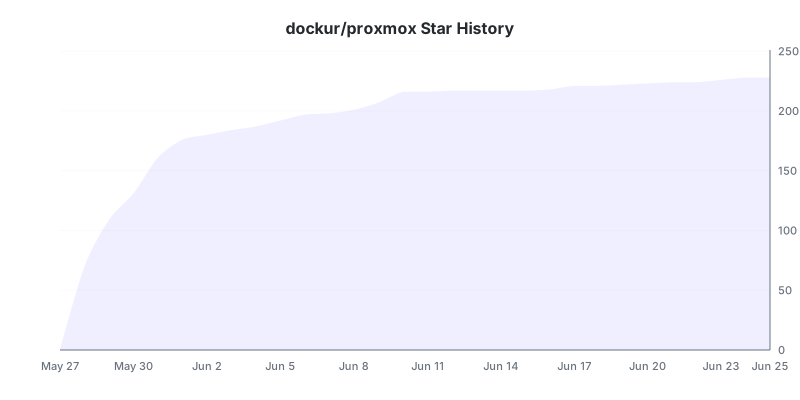
## Stars 🌟
[](https://github.com/dockur/proxmox/stargazers)
## Disclaimer ⚖️
*The product names, logos, brands, and other trademarks referred to within this project are the property of their respective trademark holders. This project is not affiliated, sponsored, or endorsed by Proxmox Server Solutions GmbH.*
[build_url]: https://github.com/dockur/proxmox/
[hub_url]: https://hub.docker.com/r/dockurr/proxmox/
[tag_url]: https://hub.docker.com/r/dockurr/proxmox/tags
[pkg_url]: https://github.com/dockur/proxmox/pkgs/container/proxmox
[Build]: https://github.com/dockur/proxmox/actions/workflows/build.yml/badge.svg
[Size]: https://img.shields.io/docker/image-size/dockurr/proxmox/latest?color=066da5&label=size
[Pulls]: https://img.shields.io/docker/pulls/dockurr/proxmox.svg?style=flat&label=pulls&logo=docker
[Version]: https://img.shields.io/docker/v/dockurr/proxmox/latest?arch=amd64&sort=semver&color=066da5
[Package]: https://img.shields.io/badge/dynamic/json?url=https%3A%2F%2Fipitio.github.io%2Fbackage%2Fdockur%2Fproxmox%2Fproxmox.json&query=%24.downloads&logo=github&style=flat&color=066da5&label=pulls

